How to Configure and Use Canned Replies in Zoho SalesIQ
Here is our approach for configuring and using canned replies in Zoho SalesIQ[cite: 14]
Even a non-technical person can easily set it up in just a few steps.
Approach
We can configure and use canned replies in Zoho SalesIQ using the steps given below[cite: 14].
1. Create and Configure Canned Reply
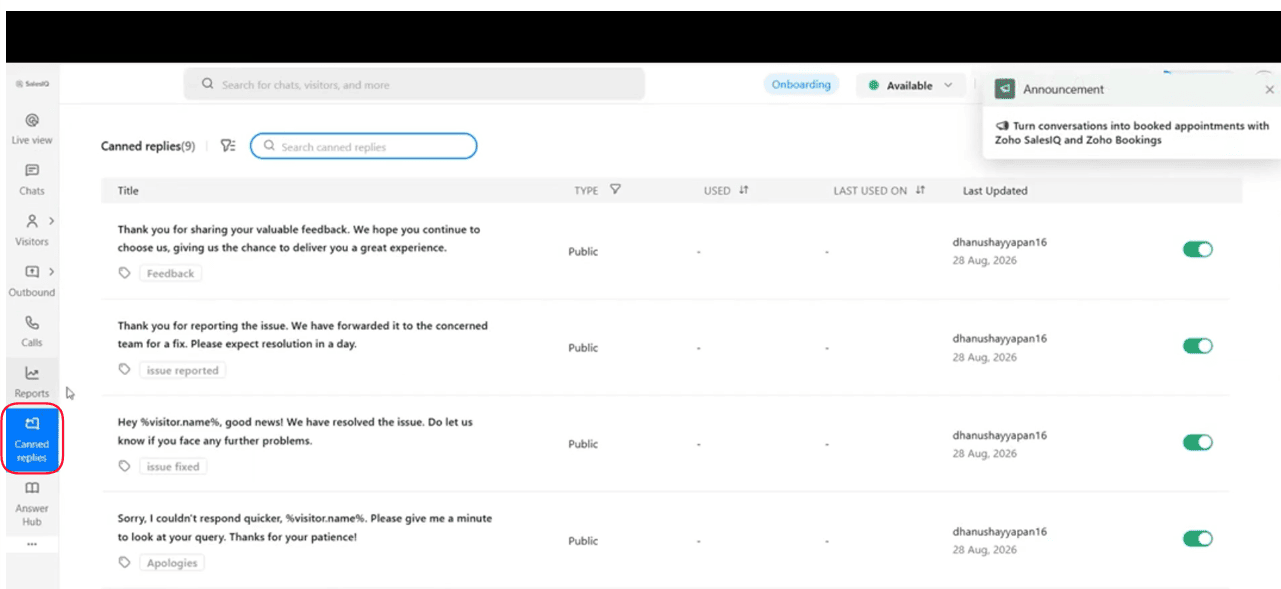
Navigate to the left sidebar menu in Zoho SalesIQ, click on **Canned Replies**,
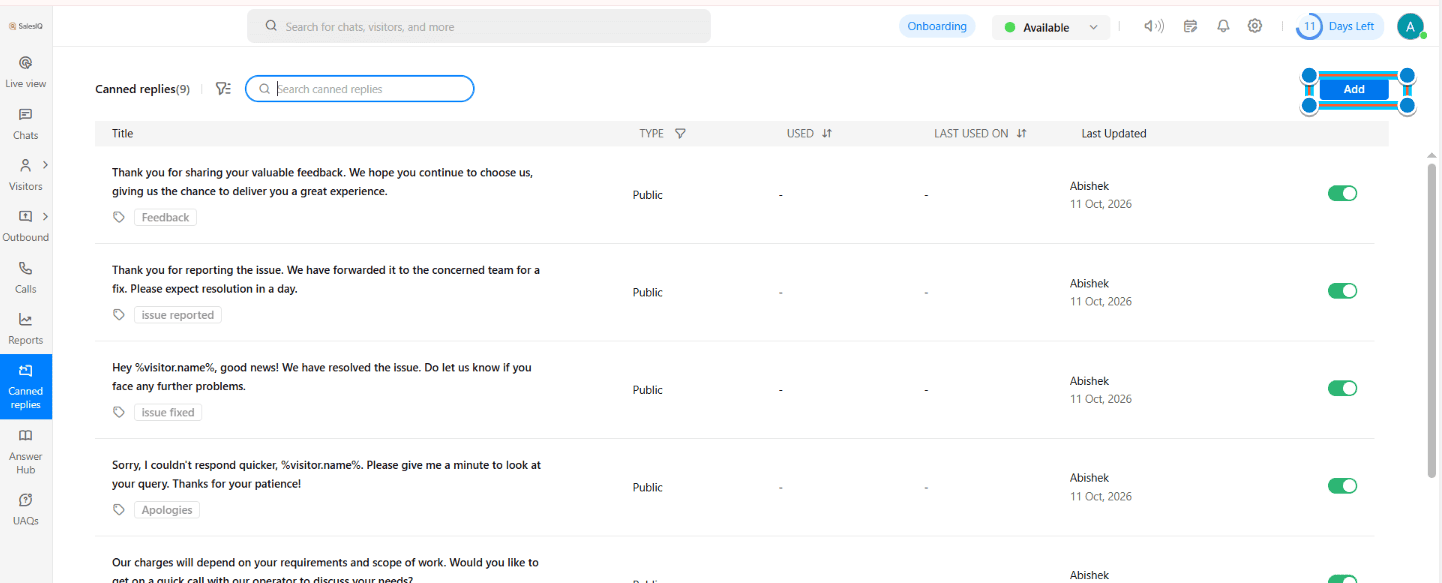
2. And select the blue **Add** button in the top right corner
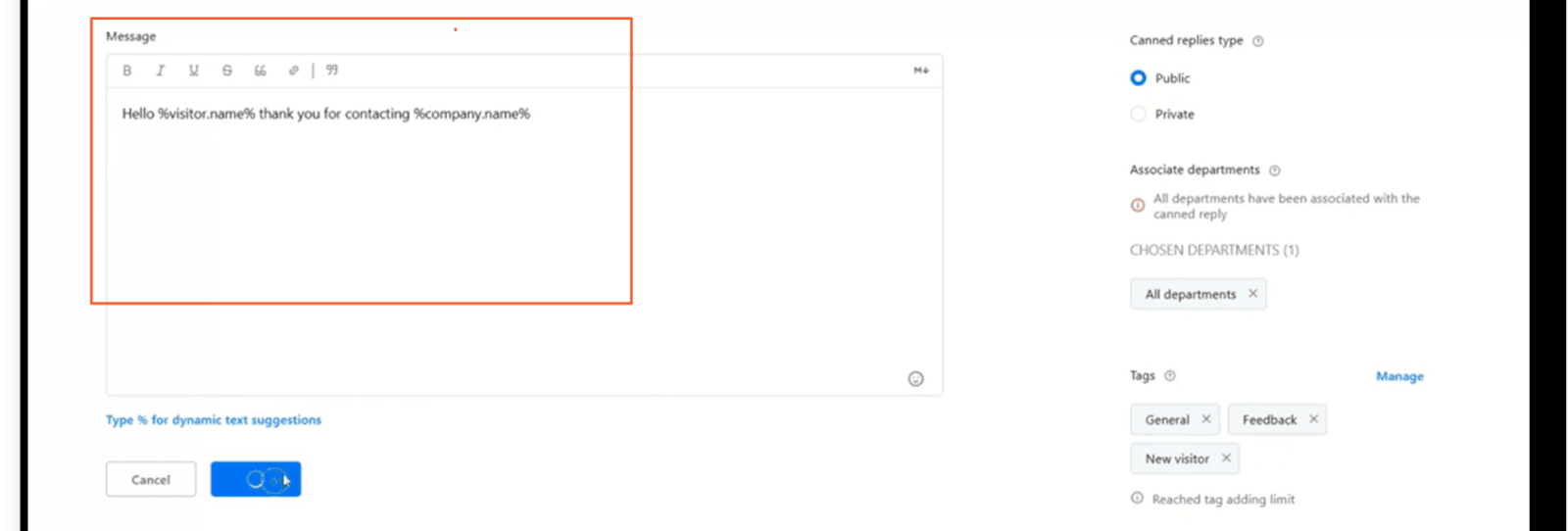
Type Your Template Response message as the way You want
2. Use Canned Reply in Live Chats
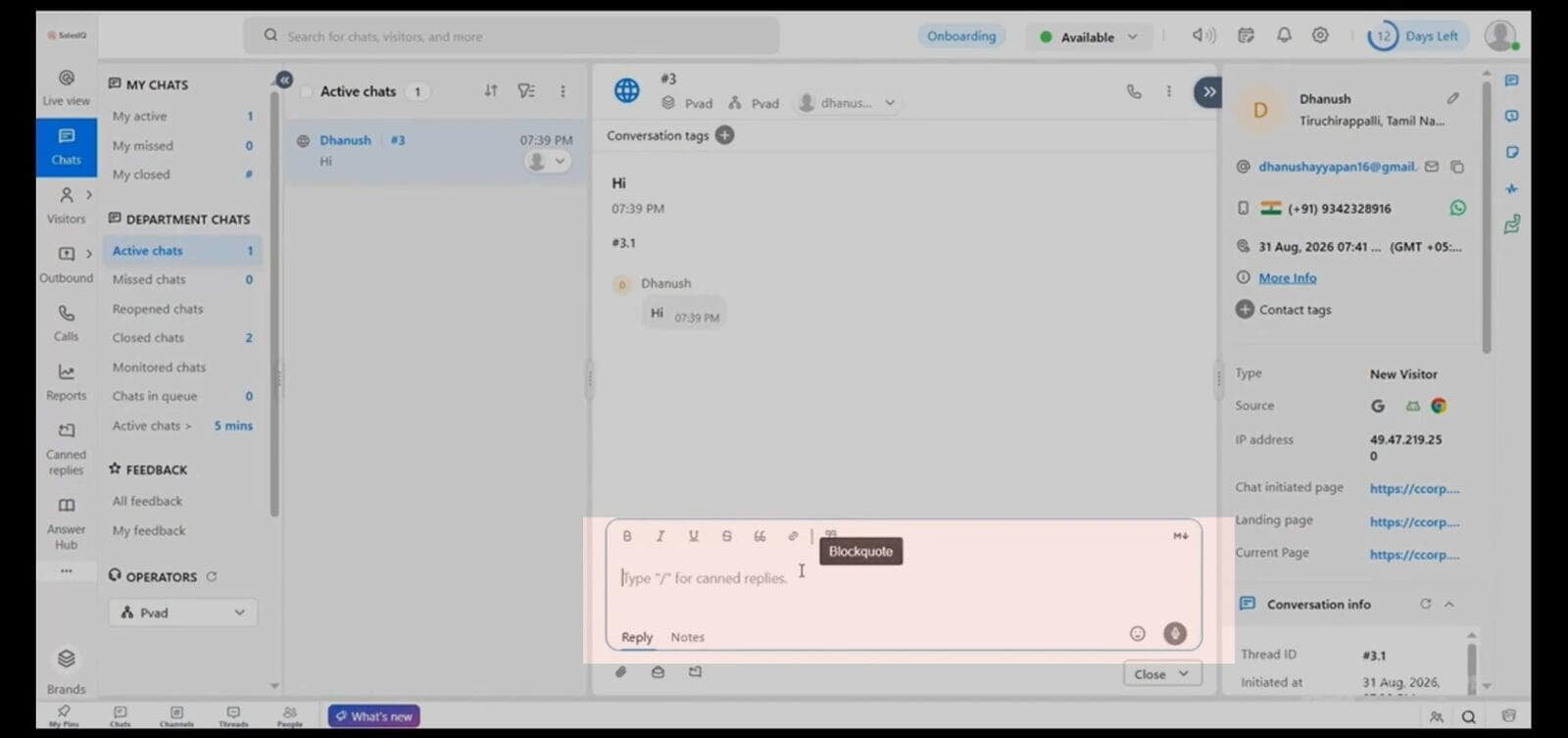
To use your canned reply during an active live chat, go to **Chats**, open a conversation, and type a slash (/) followed by your tag in the composer. Select your canned reply, and SalesIQ will automatically fill in the dynamic fields before you hit send.